Project Management Overview
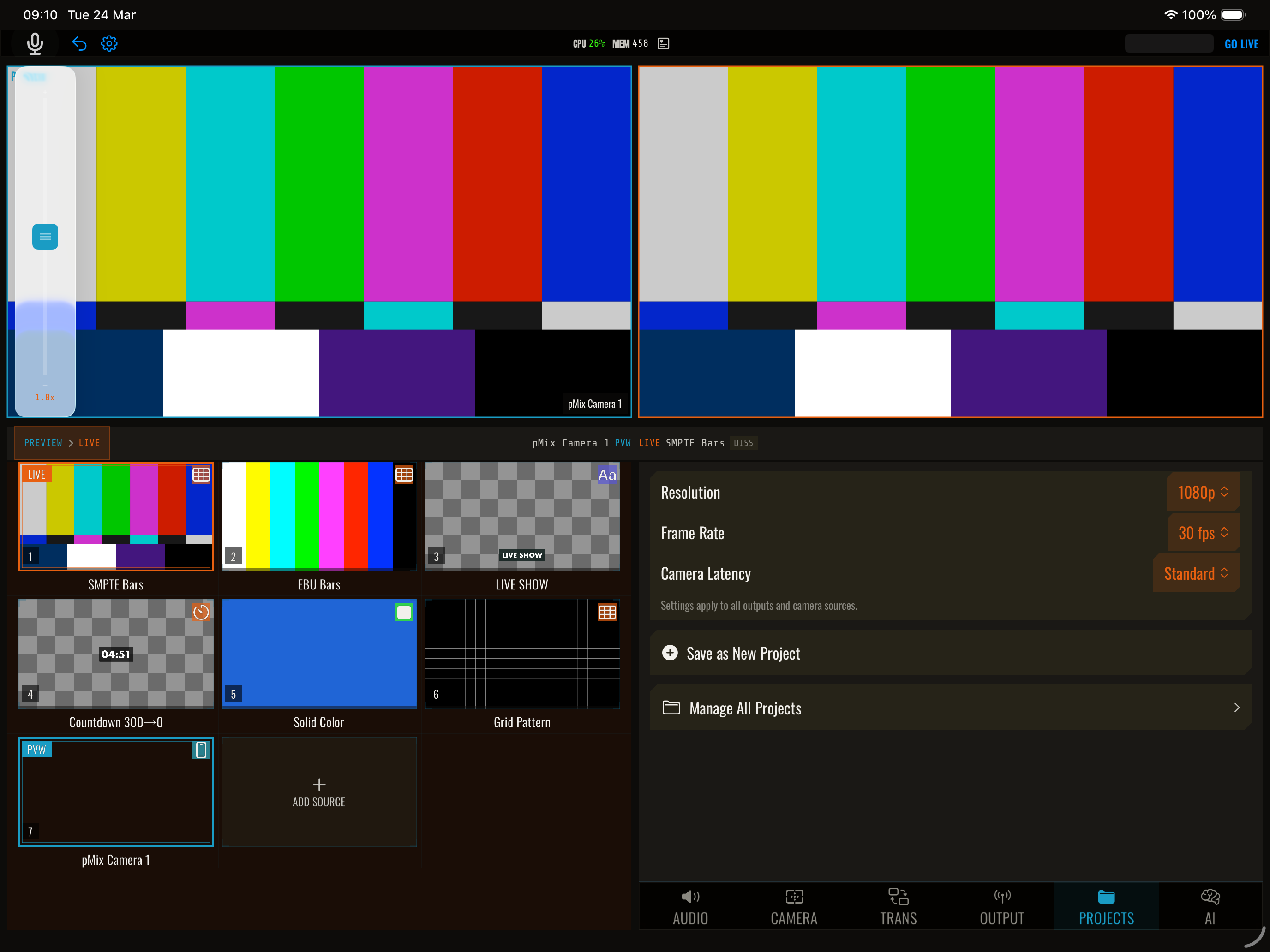
pMix.studio lets you save your entire production setup as a project file and restore it later. This means you can set up a complex production once and reload it instantly for recurring shows.
What’s saved in a project
A project file captures your complete production state:
- Source configuration — All 8 slots and their assigned sources
- Scene definitions — All scenes with layout templates, layer assignments, and custom frames
- Audio settings — Per-source volume, mute state, routing mode, AFV, and gain boost
- Transition settings — Current transition type, duration, direction, and easing
- Streaming configuration — Platform, stream key, resolution, bitrate, codec settings
- Overlay configuration — Text content, styling, positions, and visibility state
Workflow
Saving a project
- Set up your production (sources, scenes, audio, overlays, streaming)
- Open Settings → Project
- Tap Save Project
- Name the project
Loading a project
- Open Settings → Project
- Select a saved project
- Tap Load
- Your entire production state is restored
Use cases
- Weekly show — Save your show setup and load it each week
- Multi-show — Save different projects for different shows or venues
- Templates — Create baseline projects that you customize for each event
- Backup — Save your production state before making experimental changes