NDI PTZ Control
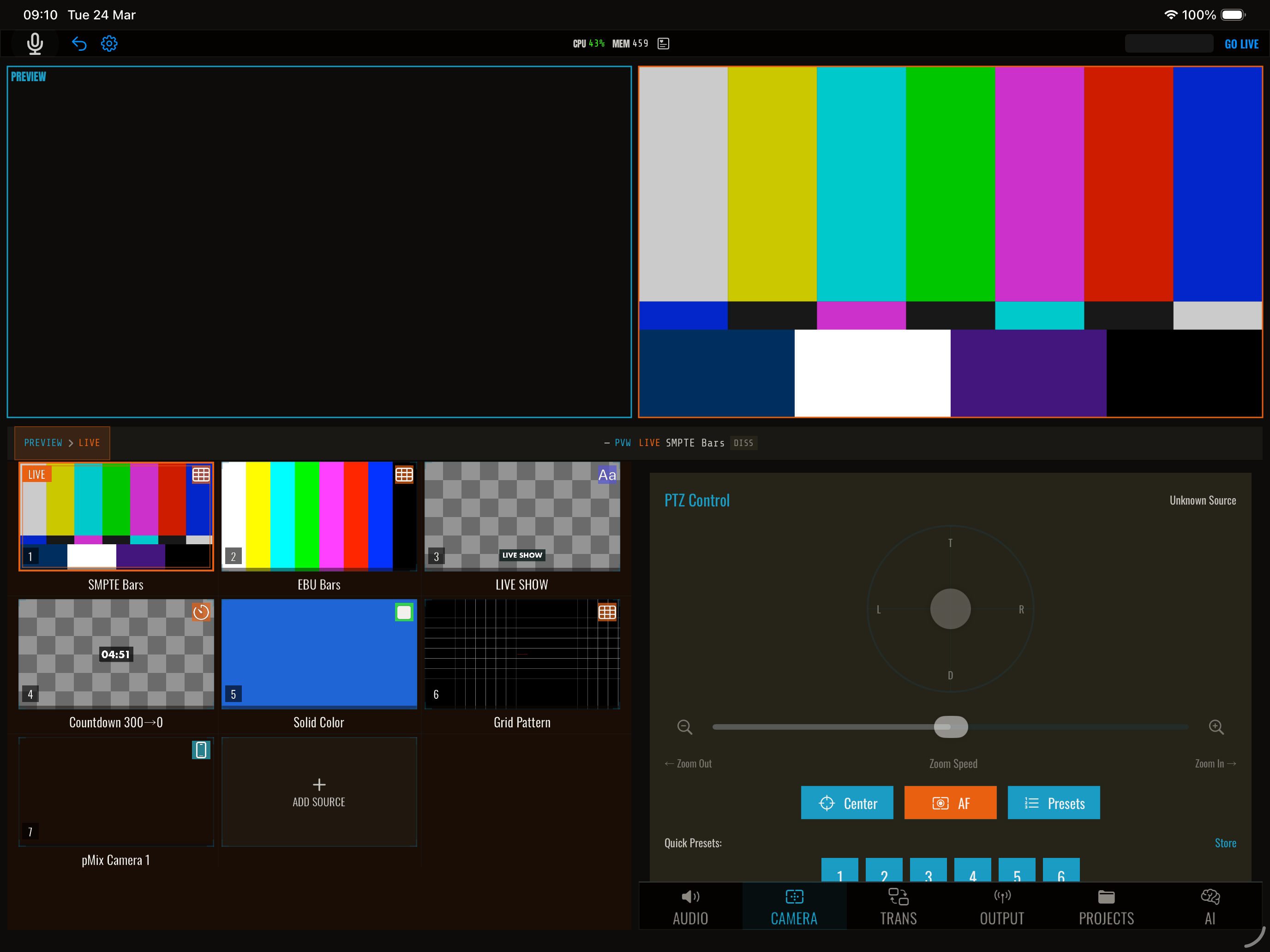
NDI cameras that support PTZ (pan-tilt-zoom) can be controlled directly from pMix.studio via the NDI PTZ protocol. No additional software or hardware controllers are needed.
Supported cameras
Any NDI camera that advertises PTZ capability works, including:
- PTZ Optics NDI cameras
- BirdDog PTZ cameras
- Panasonic NDI-enabled PTZ cameras
- Any NDI source with PTZ support
Using PTZ controls
- Add an NDI source to a slot
- Select the source (it should be in preview)
- PTZ controls appear if the source supports PTZ
Pan and tilt
Use the on-screen joystick or directional controls to pan (left/right) and tilt (up/down) the camera. Speed values range from -1 to 1.
Zoom
Use the zoom slider or buttons to zoom in and out. You can set:
- Zoom speed (-1 to 1) for continuous zooming
- Zoom level (0 to 1) for absolute zoom position
Stop
Tap the stop button to halt all PTZ movement.
Center
Tap center to return pan and tilt to the home position (0, 0).
OSC control
| Address | Args | Description |
|---|---|---|
/streamit/ptz/pantilt |
float, float | Pan speed, tilt speed (-1 to 1) |
/streamit/ptz/zoom |
float | Zoom speed (-1 to 1) |
/streamit/ptz/level |
float | Absolute zoom level (0–1) |
/streamit/ptz/stop |
— | Stop all movement |
/streamit/ptz/center |
— | Center pan and tilt |
/streamit/ptz/autofocus |
— | Trigger auto-focus |
PTZ commands operate on the preview source.
Tips
- Preview first — Frame your shot in preview before transitioning to program
- Slow movements — Use low speed values (0.1–0.3) for smooth, professional-looking camera moves
- Save presets — Store frequently-used positions as presets for instant recall